SceneCaster by e-llusion media
SceneCaster is a professional video backdrop system built for theatrical productions. Designed for simplicity under pressure, it gives your stage manager instant control over every scene - no tech degree required.
- Full HD video backdrops synced to your show's scene order
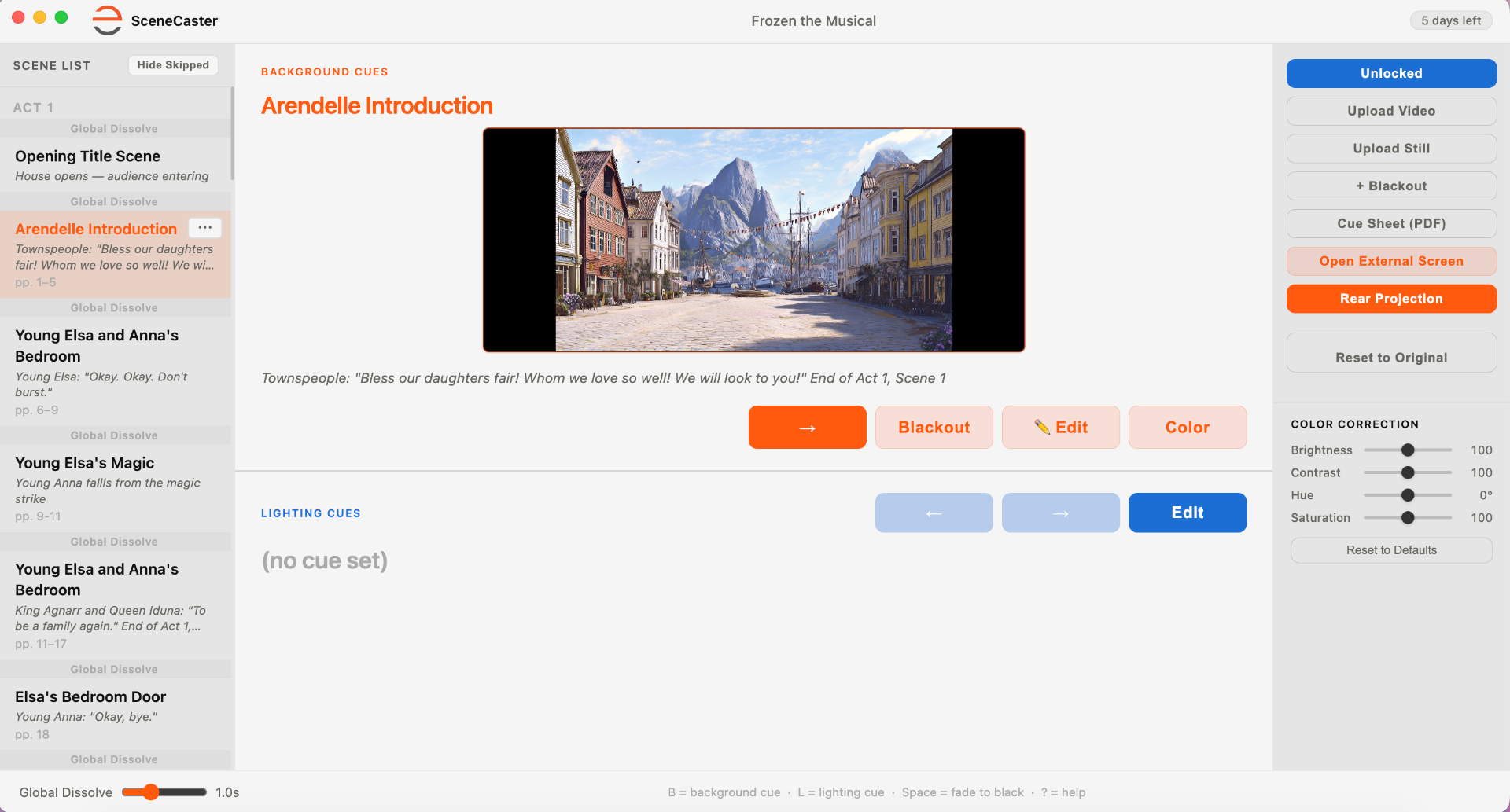
- Two-key operation - B advances the scene, L steps through that scene's lighting cues, always locked to the current backdrop
- Dual-display ready - operator view on laptop, fullscreen video on your LED wall or projector
- Smooth crossfade dissolves between scenes, with per-scene timing overrides for moments that need a faster or slower transition
- Per-scene color correction - fine-tune brightness, contrast, hue and saturation to match your stage lighting
- Multi-cue lighting per scene - step through several lighting cues within a scene at your own pace, all synced automatically to the backdrop as the show moves forward
- Director's Custom Mode - upload your own video or stills, reorder scenes by drag-and-drop, insert blackouts, duplicate or skip scenes, and save your configuration for every future run
- One-click printable cue sheet - a clean PDF reflecting your exact show, ready to hand to your tech crew
- Scenes download automatically after purchase - just activate and go
- Native Mac + Windows support
Prefer QLab? That works too.
Our scenes run in both SceneCaster and QLab, so you can use whichever fits your booth. SceneCaster is our purpose-built app - it handles licensing, lays every scene out as a cue in order, and gives you per-scene color correction. If your theater already runs QLab, the scenes play there as video cues as well. Just note that adjusting brightness or color inside QLab requires a paid QLab Video license, which the free version doesn't include.
Download SceneCaster
One download. Every cue, every scene, every night.