
How Can One Stage Scene Show Multiple Locations at Once?
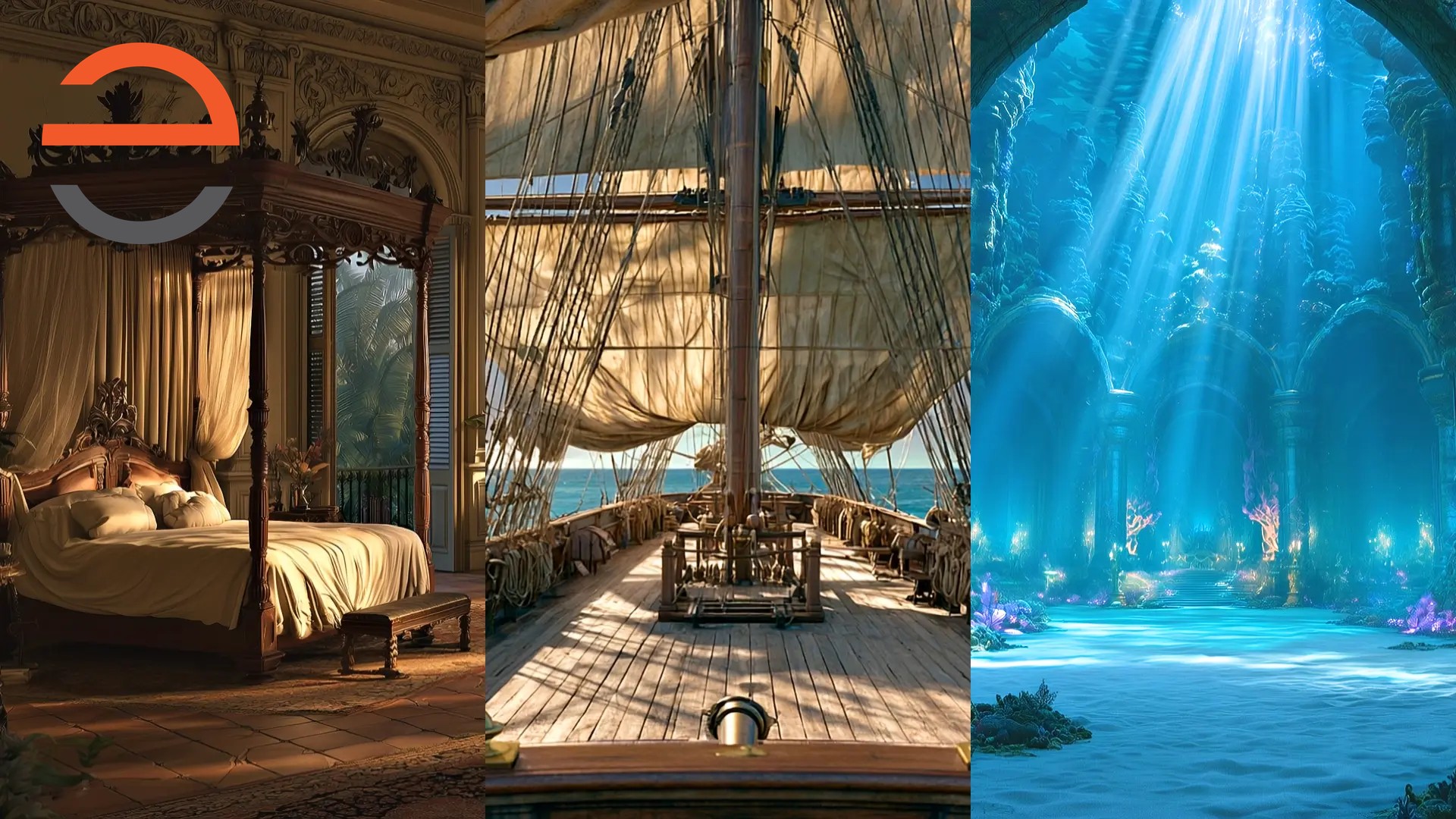
One stage scene can hold several locations at the same time. We build animated two- and three-panel versions of the backdrop, then make variations that keep every location visible while directing attention to the panel where the action is happening.
A script doesn't always wait for a set change. A song can move between characters in different places, or bring them together without ever putting them in the same room. Instead of choosing one location and losing the others, we give each part of the stage its own world.
One Scene, Separate Places
The starting point is the script: who is singing or speaking, where are they, and whose moment is it now? In a two-panel scene, each side has its own location. In a three-panel scene, each section can be somewhere different. The audience can understand the geography at a glance without the cast waiting for scenery to move.
These aren't static pictures divided by lines. Every scene is fully animated, including the panel variations. In an all-active version every panel moves. In a focus version, the panel where the action is happening stays live and fully lit, while the other panels are darkened, blurred, and frozen so the audience's attention goes to the moving panel.
The Little Mermaid: The ‘If Only’ Quartet
The ‘If Only’ quartet in The Little Mermaid is a clear example. All the panels are active, so the different locations belong to the same musical moment rather than appearing one after another as unrelated backdrops. The scenery supports the singers' separate spaces while letting the number feel connected.
Into the Woods: Following the Prologue
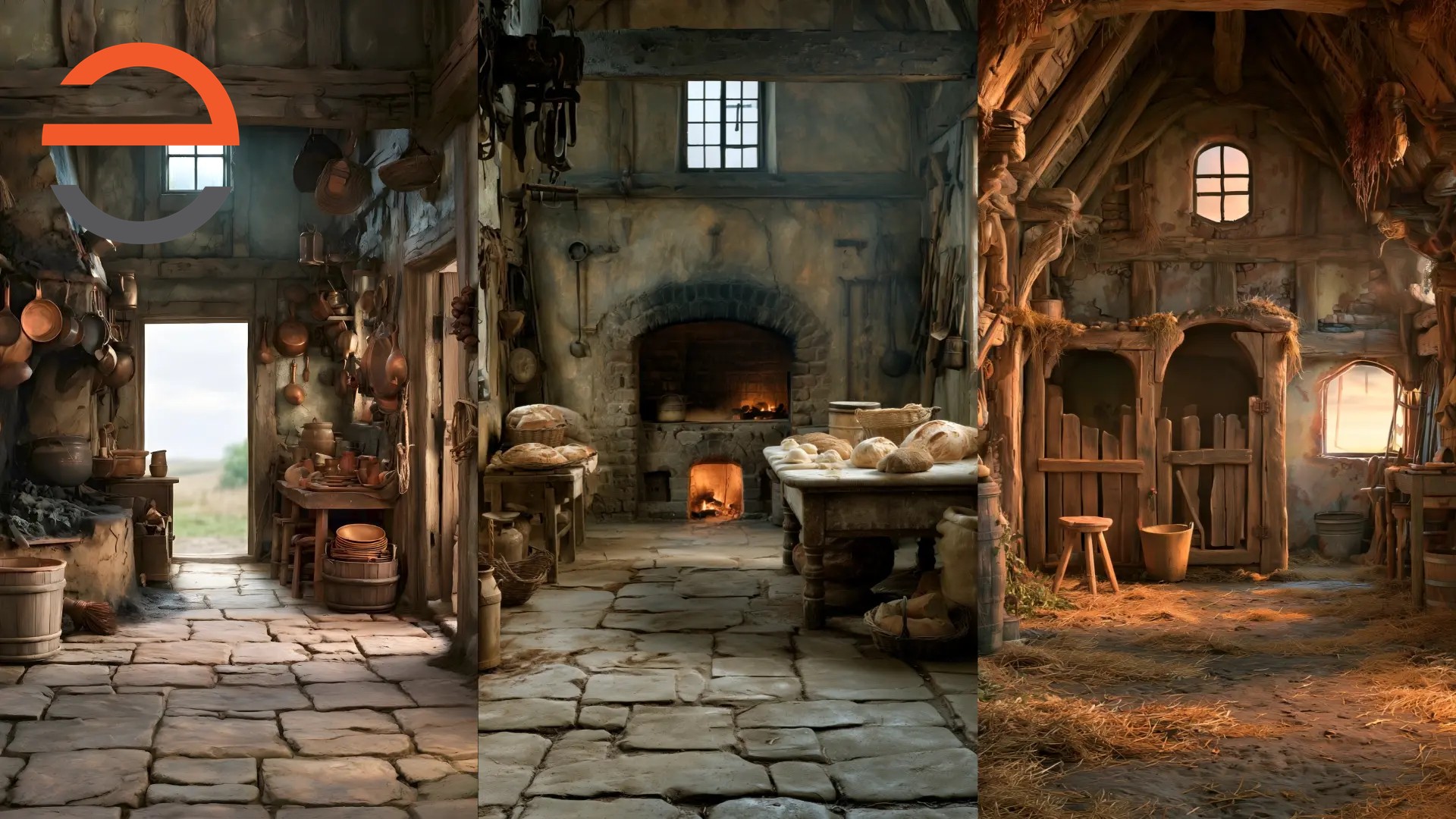
The Prologue in Into the Woods moves quickly between storylines. We made multiple animated panel variations for it: sometimes all the locations are clear, lit, and moving; sometimes the panel behind the current performer stays live while the others are slightly darkened, softened, and frozen - never blacked out. A left, center, or right panel can take focus as the script calls for it.
That distinction matters. The other characters' places don't vanish when attention moves. The audience still sees the wider story, but knows instinctively where to look. Each variation is prepared for the moment it serves, rather than applying a one-size-fits-all effect to the whole song.
Act 2 Opening: A Changed World in the Center
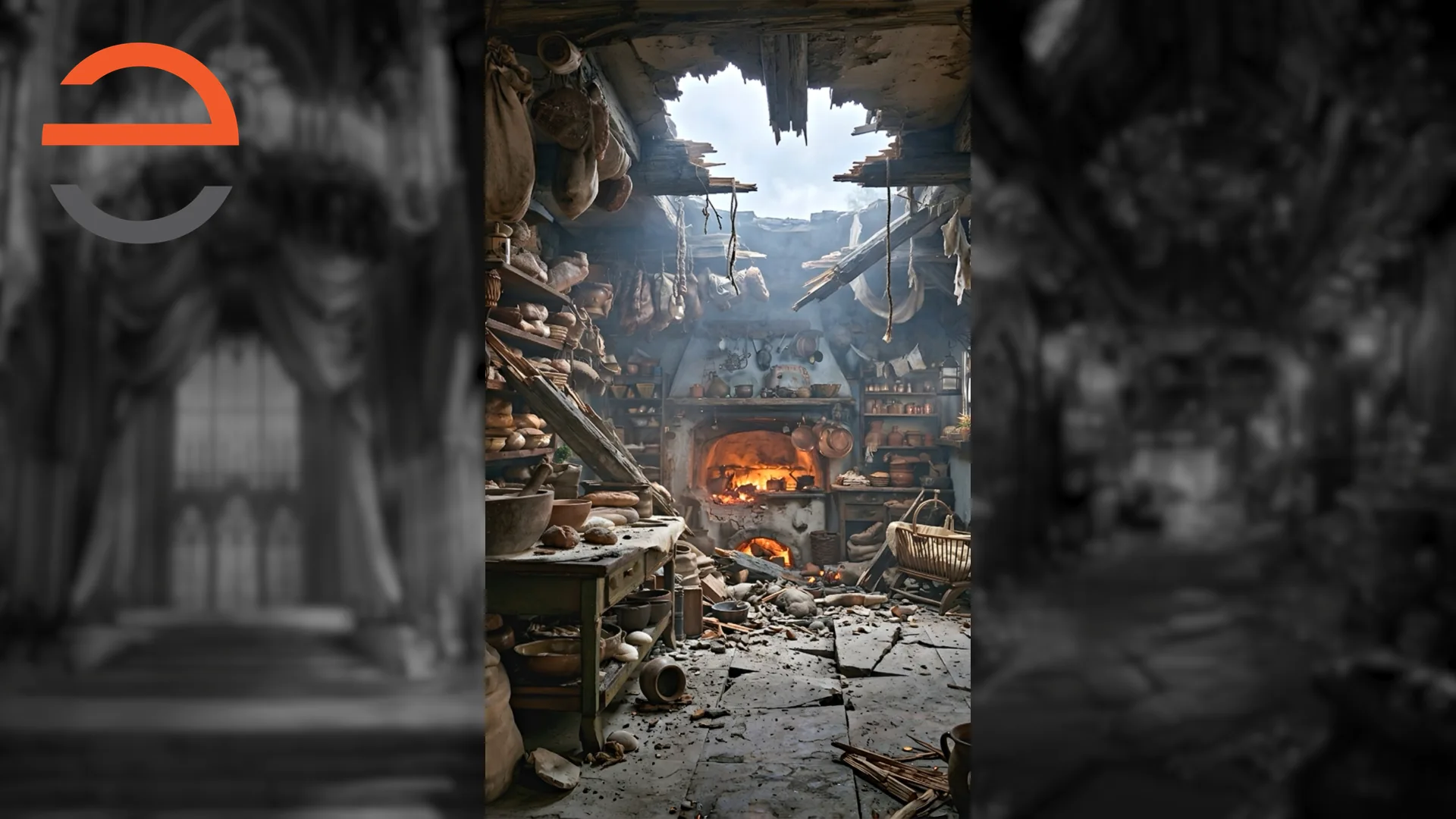
We use the approach again in the Act 2 Opening. There are multiple animated versions to follow the shifting focus, but this time the center location also changes from the normal Bakers' house to the destroyed one. It's not just a question of which performer is in focus. The scenery has to show what has happened to their world.
Keeping the panel layout coherent across those versions lets the audience recognize the same place before and after the damage. The difference reads immediately, even as the action continues elsewhere onstage.
Planning Every Variation
The hardest part isn't drawing the panels - it's the detailed planning that happens first, in the script breakdown. Every moment in the number has to be mapped: which panel holds focus and stays live, which are darkened, blurred, and frozen, when a location changes. A three-panel scene can need half a dozen variations for a single song, and each one has to be tracked through the production flow from breakdown to final render.
That tracking matters because each panel is built as its own embedded composition at 640x1080, not the standard 1920x1080. The three 640-pixel-wide panels are assembled side by side into the full 1920x1080 frame, so a change to one panel's animation, lighting, or blur is rendered for that panel alone and then recombined. Keeping that pipeline organized across every variation is where the real time goes.
Why Build Variations Instead of One Backdrop?
A single image can establish where everyone is. It can't always carry the attention changes written into a song or reveal a changed location at the right moment. Prepared, fully animated variations make each visual shift part of the storytelling while keeping the locations in one continuous stage composition.
It's a different solution from the transformation cues we use in Frozen, where one place changes through a base, effect and resolution. Read how those live transformation cues work, or see how we use light and atmosphere to give Into the Woods its many forest moods.
Each variation is its own cue. In SceneCaster - or QLab with a paid Video license - the operator fires each one on command, so the darkened-and-frozen panel comes back to life and another steps back exactly when the moment calls for it, not on a fixed timer.
It's not magic, it's production.
- James
Frequently Asked Questions
How do you show two or three locations on stage at once?
We divide one animated scenic composition into two or three panels, with a distinct location in each. The script determines which locations appear together and when the audience's focus moves between them.
Do the inactive panels go black?
No. In a focus variation, the non-focus panels are darkened, blurred, and frozen - not blacked out - while the live panel stays fully animated and lit. Other variations leave every panel clear, lit, and moving.
Are the multi-panel scenes still animated?
Yes. All of our scenes are fully animated, including the two- and three-panel variations. In an all-active version every panel moves; in a focus version the live panel stays animated while the others freeze, darken, and blur so attention stays on the performer.
Which shows use multi-panel scenery?
Our The Little Mermaid 'If Only' quartet keeps all panels active. Into the Woods uses multiple panel variations in its Prologue and Act 2 Opening; the latter also shows the center Bakers' house changing from normal to destroyed.
What's the hardest part of producing multi-panel scenery?
The planning. The script breakdown has to map every moment - which panel holds focus, which stay softer, when a location changes. A single three-panel scene can need several variations, and each has to be tracked from breakdown through final render.
How are multi-panel scenes built technically?
Each panel is rendered as its own embedded composition. For three-panel scenes that means a 640x1080 comp per panel rather than the standard 1920x1080, assembled side by side into the full frame. This lets us adjust one panel's animation, lighting, or blur independently and recombine it into the complete scene.
How are the variations triggered during the show?
Each variation is its own cue, fired on command by the operator in SceneCaster or in QLab with a paid Video license. The frozen panel comes back to life and another steps back at the exact moment the scene calls for it, not on a fixed timer.